
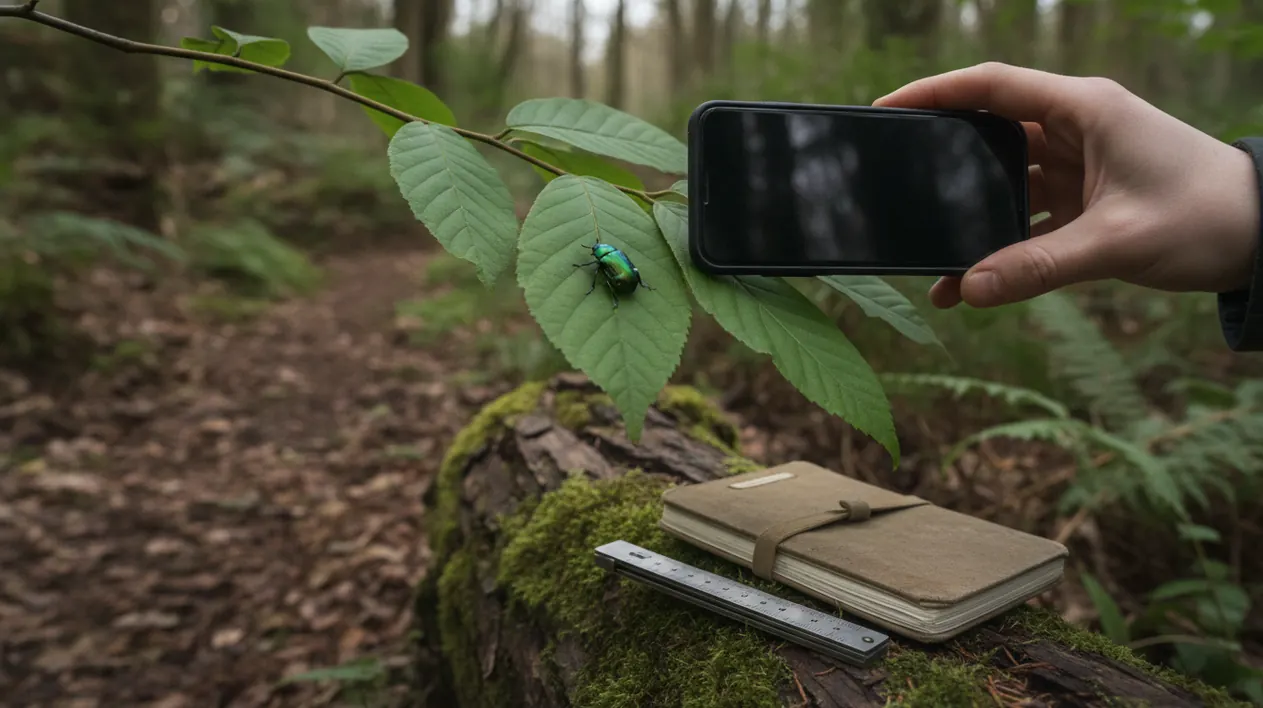
How a picture identifier works
Modern picture identifiers combine two kinds of software. Computer vision detects visual features in a photo, such as shape, color and texture, and sorts them into categories. Multimodal AI models read images and text together, so they can describe what they see and answer a question about it. You get back a best guess or a short list of candidates.
You will see the same tool called a pic identifier, a photo identifier, an image identifier or an object identifier. The name changes with the searcher. The job stays the same, which is naming the subject of a picture and pointing you to what to check next.
Reverse image search solves another problem, which is finding where else a picture appears online. It hunts for other copies of a picture. An identifier studies the subject itself, so it can still work on a photo nobody has ever posted anywhere.
One limit shapes everything below. A model can name the nearest common category even when the real subject is missing from its training data. However sure the label sounds, it is still a lead. Confirm it before you act.
Which identifier guide fits what you found
A general tool will take any photo, but the checks that settle an ID differ by subject. These guides cover the details that matter for each group.
Plants, weeds and sick leaves
If you have a leaf, flower or shrub and no idea what it is, start with identifying a plant by picture. Leaves, flowers, fruit, bark, stem and growth habit all help, so shoot more than one. Plants living indoors have their own shortlist in identifying a houseplant from a photo. A stranger in the lawn or flower bed is often a weed, and how to identify weeds from a photo shows what to photograph. When you know the plant but it looks wrong, what is wrong with a plant covers spots, curling and yellowing.
Bugs, spiders, ticks and snakes
For six-legged finds, identifying an unknown bug is the broad guide. Insects need a top view, a side view and an underside view, because wings, legs, antennae and markings sit in different places. Eight legs point to naming a spider from a photo or, for a small hitchhiker on you or a pet, telling what kind of tick you found. Striped or fuzzy larvae belong with naming a caterpillar from a photo, and the old buzzing argument has its own page, telling a bee from a wasp.
Snakes need more care. Take the picture from a distance, never to get a closer look. Read identifying a snake safely before you trust any app result, because an AI answer alone should never decide whether a snake is safe.
Birds, eggs, feathers and tracks
Bill, wings, tail, plumage pattern and body shape carry a bird ID, and the place and date of the sighting narrow the list further. How to identify a bird from a photo covers the shots that work. Found a nest? Photograph it from where you stand and leave it alone, then use identifying a bird egg. A single feather on a trail has its own page, naming a feather from a photo. For marks in mud, sand or snow, reading animal tracks from a photo explains why a scale reference and a clear view of toes, claws and heel matter.
Rocks, crystals and seashells
Fresh surfaces, crystal shape, cleavage, luster, translucence and the surrounding matrix all show up in a photo. Hardness, streak, density and chemical tests may still be needed to settle a mineral, so a picture gives you a first guess and not a final word. Use identifying a rock from a picture for stones from the yard or trail, telling gemstones and crystals apart for anything that sparkles, and naming a seashell from a photo after a beach walk.
Coins, cards, stamps, antiques and fonts
Collectibles reward detail. Maker's marks, serial numbers, labels, dimensions and condition all matter, so photograph them. Start with identifying a coin from both sides for dates, mint marks and denominations. Use identifying an antique from photos for older household finds, scanning a Pokemon card for trading cards, and identifying a postage stamp for the album in the attic. Printed type is its own case. If you want to know which typeface a poster or logo uses, finding a font from an image is the page for it.
Any value attached to a coin or collectible is an estimate, not an authenticated appraisal. Condition, rarity, provenance, authenticity and auction demand all move the price.
Setting up a photo an identifier can name
Photo quality decides more than the app does. A blurry, dark or distant shot gives any tool little to work with. These habits help with every subject.
- Make the subject large, centered and in focus.
- Use bright, diffuse light. Avoid glare and deep shadows.
- Take several views that show the features that separate similar things.
- Add something for scale, like a coin, a ruler or your hand.
- Send a clean original instead of a compressed screenshot.
What counts as a useful view changes with the subject.
| Subject | Show these in the photo |
|---|---|
| Plants | Leaves, flowers, fruit, bark, stem and growth habit |
| Insects | Top, side and underside views with wings, legs, antennae and markings |
| Birds | Bill, wings, tail, plumage pattern and body shape, plus location and date |
| Wildlife signs | Tracks with scale and a clear view of toe, claw, heel and stride pattern. Scat with scale and surroundings |
| Rocks and gems | Fresh surfaces, crystal shape, cleavage, luster, translucence and matrix |
| Coins | Both sides, edge, date, mint mark, denomination, wear and damage, shot straight and without glare |
| Collectibles | Maker's marks, serial numbers, labels, construction details, dimensions and condition |
Context counts as much as pixels. Where you found something, the date, the habitat and what surrounds it can narrow a biological ID a great deal. Write those down before you forget them.
Free and paid picture identifier apps compared
Many tools do this job, and they are not interchangeable. The table lists the main ones with the platform and price evidence reported in published comparisons and store listings. Prices vary by region, platform and date, so treat them as a snapshot.
| Tool | Best for | Platform and price reported |
|---|---|---|
| Google Lens | General objects, plants, animals, products, landmarks and text | Android, iOS through Google apps, and web. Free basic use is reported |
| iNaturalist | Plants, insects, fungi and other wildlife, with community verification | Android, iOS and web. Free |
| Seek by iNaturalist | Live plant, insect, fungus and wildlife suggestions | Android and iOS. Free, with no subscription confirmed |
| Merlin Bird ID | Birds from photos, sound and location | Android and iOS. Free. Developed by the Cornell Lab of Ornithology |
| PictureThis | Plant identification and plant care | Android and iOS. Limited free use. US price tiers of $3.99 to $49.99, checked September 3, 2026 |
| Picture Insect | Insects | Android and iOS. US price tiers of $2.99 to $39.99, checked September 3, 2026 |
| Picture Bird | Birds | Android and iOS. US price tiers of $3.99 to $39.99, checked September 3, 2026 |
| CoinSnap | Coins and collectibles | Android and iOS. US price tiers of $3.99 to $39.99, checked September 3, 2026 |
| Trove | Objects, animals, plants, rocks, coins, antiques and estimated value | iPhone. Free download with in-app purchases. A listing showed AED 149.99 yearly or AED 19.99 weekly on November 20, 2026 |
Some patterns are worth noting. For wildlife, the free tools from iNaturalist and Cornell are hard to beat, and iNaturalist adds a community that can confirm or correct a suggestion. Google Lens is the wide net for everyday objects and text. The paid apps tend to specialize, and PictureThis adds plant-care features on top of identification.
Rock and gem scanners vary so much that there is no single standard price. General AI apps that accept uploaded images can describe a photo and propose candidates, but their cost depends on the provider and the plan. Check what you would pay before you commit to a subscription, and try a free tier first.
How accurate is photo identification?
There is no single accuracy number for an AI identifier. Results depend on the model, the image set, the allowed answers and the category. They also depend on what is measured, such as exact species, genus or broad category. Published studies show how wide the range is.
- A 2025 study of surgical-instrument photographs reported 89.1% accuracy for a general multimodal model and 77.2% for the specialized SID 2.0 app. A weaker model in the same test reached 44.6%.
- A 2025 ophthalmology-image study reported 77.1% for the best general model, 71.0% for an earlier vision model and 68.7% for a text-only condition.
- A 2026 mosquito-surveillance study reported correct genus for 80.0% of laboratory photographs and 83.0% of citizen-science photographs by a zero-shot multimodal model.
- In that mosquito study, overall accuracy on citizen-science photographs was 73.8% for the zero-shot model and 77.5% for a laboratory-trained CNN.
The most useful result for everyday users came from the same mosquito study. Restricting the model to a local species list, diagnostic characters and labeled examples raised forced-choice species accuracy from under 20% to about 67%. Genus accuracy approached 90%. In plain terms, telling a tool where you are and what it could be makes it far better.
These figures do not give the accuracy of Google Lens, iNaturalist, PictureThis, CoinSnap or any other consumer app for every category. Those apps rarely publish their training data, test sets or error rates. Judge them by how often their suggestions hold up when you check.
Privacy, safety and where a photo answer stops
A picture identifier can be wrong in ways that look right. Similar species, regional variants, juvenile forms, seasonal forms and hybrids can be visually indistinguishable in a single photograph. The tool may also settle on a common lookalike when the real subject is rare.
- Do not eat, touch or handle an unknown plant, mushroom, animal, insect, mineral or liquid based only on an app result.
- Do not approach wildlife, nests, dens or potentially dangerous animals to get a better image.
- Do not use an AI result alone to decide whether a snake, mushroom, plant or chemical substance is safe.
- A plausible match is not enough for a medical, toxicological, legal, conservation or financial decision.
Privacy deserves a thought too. A photo can reveal faces, your home, your location or a private collection. Retention and data practices vary by service, so read what the provider states before you upload anything sensitive. For rare or threatened wildlife, exact location data can invite poaching or disturbance, so keep those coordinates to yourself.
After you get an answer, what next?
Think of the result as a shortlist. These steps turn it into an ID you can rely on.
- Compare the suggestion with several clear photos of the named subject, not one.
- Check it against an authoritative field guide, a taxonomic database, a museum collection or a specialist group.
- Shoot again from another angle, add something for scale, and send it through the upload box to see whether the answer holds.
- For anything high stakes, ask a qualified expert and send your best images.
If the second photo gives a different answer, that tells you something. It usually means the first photo missed the feature that separates two lookalikes, so go back and shoot that feature.
Questions people ask
Can I take a picture of an item and identify it?
Yes. Upload a sharp, well-lit photo to a picture identifier and it suggests what the item is. Use the answer as a lead, then confirm it in a field guide or with an expert.
What can a picture identifier not identify well?
Mostly the things people ask about on the other pages, but not everything. A photo cannot show a hidden serial number, the inside of a mushroom cap, whether a coin is genuine, or what something is worth. It also cannot tell you what is safe to eat or touch, so confirm anything that matters with an expert or a local reference.
Is there a free picture identifier app?
Yes. iNaturalist and Seek by iNaturalist are free for plants, insects and wildlife, and Merlin Bird ID is free for birds. Google Lens covers general objects with free basic use.
How do I put a photo into a search?
Google Lens accepts photos through Google apps and the web, and a picture identifier site lets you upload a file directly. A clean original works better than a compressed screenshot.
How accurate is a picture identifier?
Accuracy swings with the model and the subject. A 2026 mosquito study found genus right for 80.0% of laboratory photographs and 83.0% of citizen-science photographs by a zero-shot multimodal model.
Is it safe to trust a photo ID on wild plants?
No. Never eat, touch or handle an unknown plant, mushroom or animal based only on an app result. An AI answer alone cannot settle whether a snake is safe.
Picture identifier vs reverse image search?
A picture identifier studies the subject of a photo and names it, so it can work on a never-posted image. Reverse image search only hunts for other copies of a picture.
What makes a photo easy to identify?
A large, centered, in-focus subject in bright, diffuse light, shot from several angles with a ruler or known-size object for scale.